Recommended: Claude web and mobile (Connectors)
This is the approach that works across Claude on the web, mobile, and desktop with one setup: add Product Brain as a remote MCP connector, then authenticate with your Product Brain API key.- Open Claude and sign in.
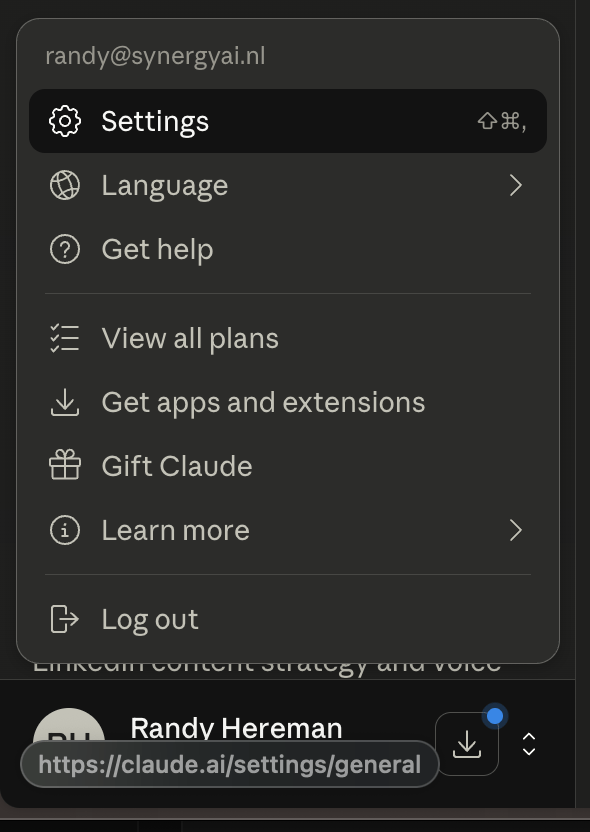
- Open Settings (profile menu → Settings).
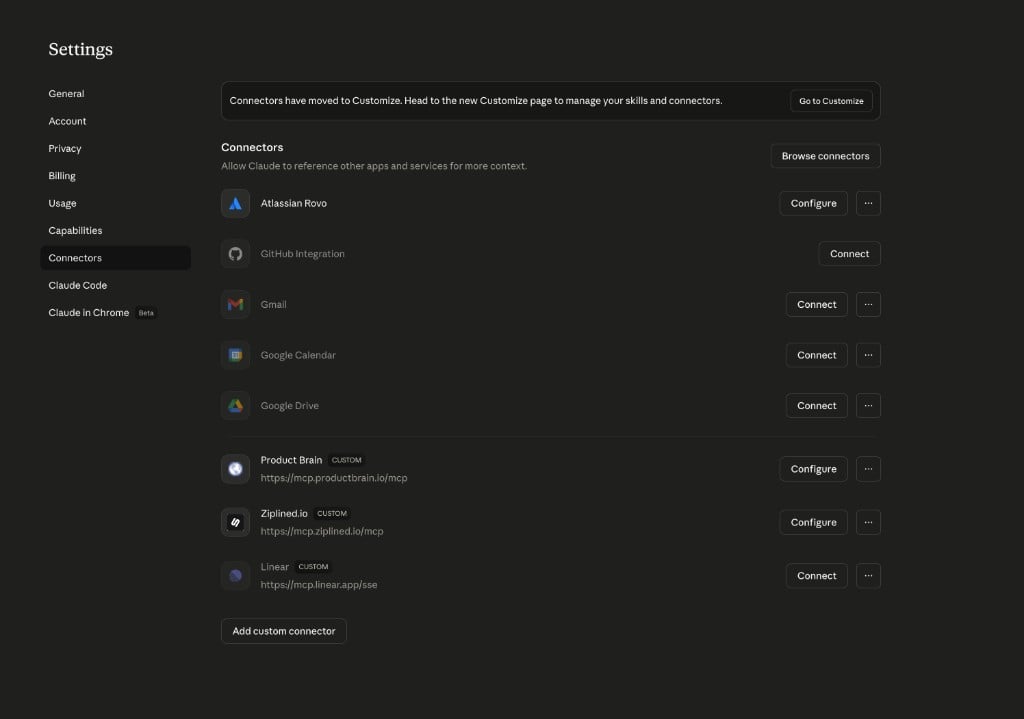
- Go to Connectors. If you see a banner that connectors moved to Customize, use Go to Customize and manage connectors there—the flow is the same: add a custom remote MCP server.
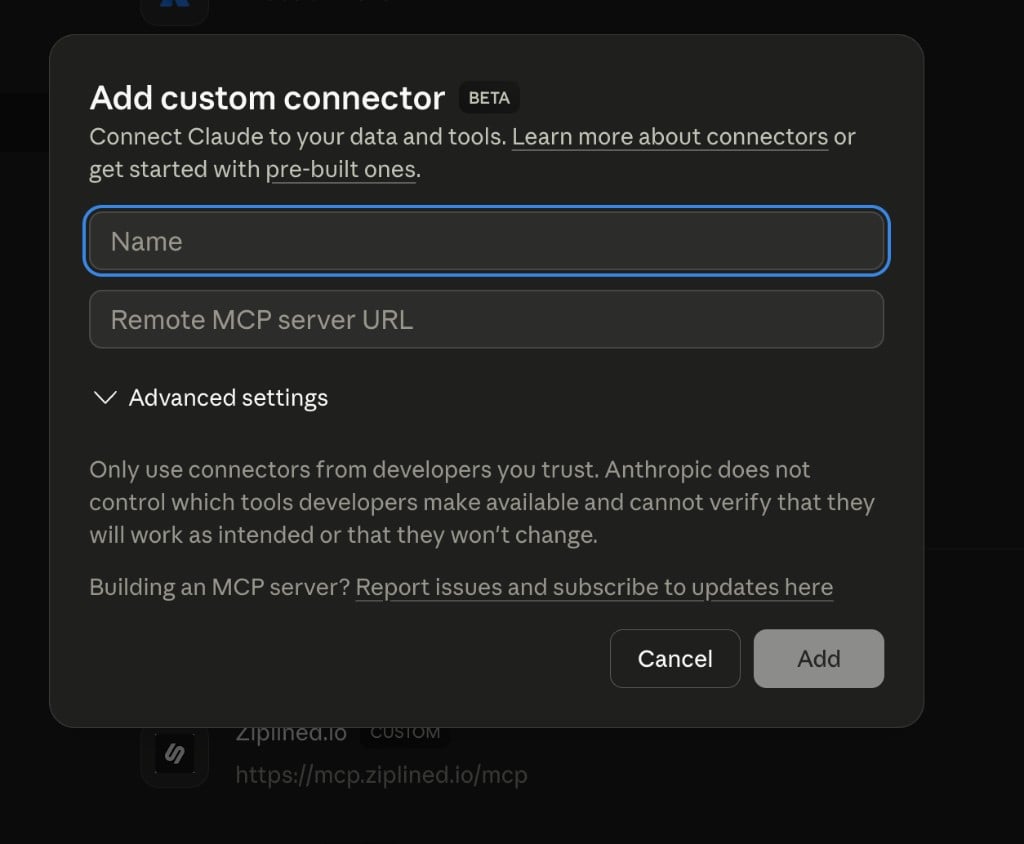
- Click Add custom connector.
- Fill in:
- Name:
Product Brain - Remote MCP server URL:
https://mcp.productbrain.io/mcp
- Name:
- Click Add, then complete authentication with your Product Brain API key when prompted.
API key
Create or copy an API key from Product Brain: open your workspace in the Product Brain app, then Settings → API keys (workspace-scoped; keys start withpb_sk_).
Hosted documentation cannot link directly to every workspace’s API Keys URL because it includes your workspace slug. We are tracking a signed-in redirect so docs can offer one stable link—see TEN-1660 on the Chain.
Using the connector in a chat
Start or open a chat in Claude, enable the Product Brain connector for that conversation if your client requires it, then ask Claude to orient—for example: “Use Product Brain to orient on this workspace.”Alternative: Claude Desktop (local JSON)
Use this when you want a stdio MCP server on your machine (localnpx launcher) instead of the remote connector URL—typical for automation or strict local-only tooling.
- Edit
claude_desktop_config.json(macOS:~/Library/Application Support/Claude/claude_desktop_config.json; Windows:%APPDATA%\Claude\claude_desktop_config.json). - Add an
mcpServersentry usingnpxand@productbrain/mcp@betawithPRODUCTBRAIN_API_KEYinenv, or runnpx @productbrain/mcp@beta setupto generate config.
https://mcp.productbrain.io/mcp as a Desktop “URL connector” inside the Desktop app if your build still routes that through a broken OAuth flow—use Connectors on the web for the URL, or use JSON + stdio on Desktop.